

Unreal Engine 5 developers frequently encounter friction points in their coding workflows, from navigating dense documentation to managing complex C++ patterns and Blueprint logic. As engine updates accelerate and project demands grow, traditional development methods struggle to keep pace. AI coding assistants have emerged as practical tools to address these challenges, offering context-aware suggestions and automating repetitive tasks directly within the UE5 Editor. This guide explores how AI assistants integrate into Unreal Engine 5 workflows, examines top plugins and models available in 2026, and provides actionable strategies to maximize their impact while avoiding common pitfalls.
Table of Contents
- Understanding AI Assistants In Unreal Engine 5 Development
- Addressing Challenges With AI Coding Assistants In Game Development
- Comparing Leading AI Assistant Plugins And Models For Unreal Engine 5
- Maximizing Your Workflow With AI Assistants In Unreal Engine 5
- Discover Powerful AI Tools With Ludus AI
- Frequently Asked Questions
Key takeaways
| Point | Details |
|---|---|
| Native integration matters | AI assistants embedded in UE5 Editor deliver context-aware help using live project data and engine documentation. |
| Context gaps cause failures | Without proper constraints and project awareness, AI tools hallucinate code or drift from local patterns. |
| Multi-model flexibility wins | Plugins supporting multiple AI providers let developers balance cost, accuracy, and specialized capabilities. |
| Workflow optimization is key | Features like Blueprint editing, async task queues, and session persistence amplify productivity gains. |
| Choose specialized tools | UE5-specific AI assistants outperform generic code helpers by understanding engine architecture and conventions. |
Understanding AI assistants in Unreal Engine 5 development
AI coding assistants are machine learning tools designed to accelerate development tasks within Unreal Engine 5 by analyzing project context and generating relevant code suggestions. Unlike generic code completion tools, UnrealClaude integrates the Claude Code CLI directly into the Unreal Engine 5.7 Editor, providing AI coding assistance with built-in UE5.7 documentation context. These assistants scan your project files, Blueprint graphs, and engine documentation to deliver suggestions that align with your specific architecture and coding patterns.
Native integration into the UE5 Editor transforms how developers interact with AI assistance. Rather than switching between external tools and your development environment, context-aware plugins maintain continuous synchronization with your project state. This approach eliminates the friction of copying code snippets or explaining project structure repeatedly. The Unreal Engine AI toolkit exemplifies this integration philosophy, embedding AI capabilities directly where developers work.
Core benefits of AI assistants in UE5 workflows include:
- Faster coding through intelligent autocomplete that understands UE5 syntax and conventions
- Improved accuracy by referencing current engine documentation and project-specific patterns
- Project context awareness that adapts suggestions to your existing codebase architecture
- Reduced documentation lookup time with instant access to API references and best practices
Beyond basic code completion, modern AI assistants handle Blueprint editing, asset management, and even gameplay logic generation. The UnrealClaude plugin demonstrates this expanded capability set, offering features like dynamic context systems that track changes across your entire project and async task queues for handling complex, multi-step operations without blocking your workflow.
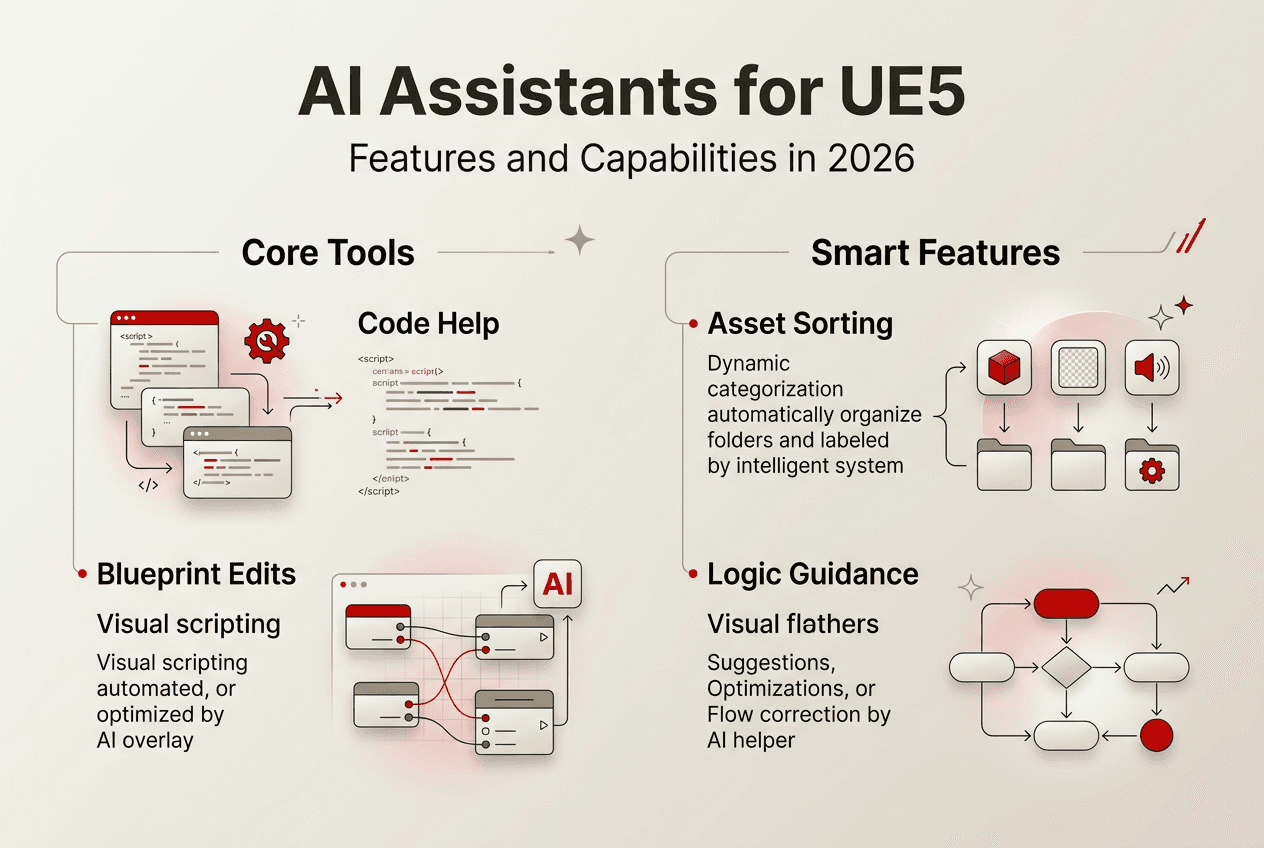
Pro Tip: Always choose AI tools that maintain live context synchronization with your UE5 project for best results. Static or outdated context leads to suggestions that conflict with your current code state, creating more work than they save.
Addressing challenges with AI coding assistants in game development
The primary obstacle facing AI assistants in UE5 development is the context gap, where AI models lack complete understanding of your local coding conventions, branch differences, and project-specific architectural decisions. This gap manifests in several failure modes that frustrate developers and undermine confidence in AI tools. The core challenge is the context gap; AI failures often come from missing constraints like code patterns or branch differences.
Common AI failure modes include hallucinated diffs where the model invents code changes that never existed, incorrect function alterations that break existing functionality, and model drift where suggestions gradually diverge from repository patterns over extended sessions. GPT-5.1 hallucinated code diffs and altered functions incorrectly, demonstrating how even advanced models struggle without proper constraints. These errors compound quickly in game development where intricate systems depend on precise interactions between components.
Without explicit constraints and continuous context validation, AI models default to generic patterns that may conflict with engine-specific requirements or established project conventions. The solution lies not in abandoning AI assistance but in choosing tools designed to minimize these gaps through architecture-aware integration.
Mitigating these challenges requires a structured approach:
- Use context-aware plugins with live project data synchronization to ensure AI suggestions reflect current code state
- Enforce strict 'ASK mode' prompting where AI requests clarification before making assumptions about implementation details
- Validate AI outputs carefully through code review and testing, treating suggestions as starting points rather than final solutions
- Implement syntax-aware indexing and vector search to improve retrieval accuracy for relevant code examples
- Set explicit constraints in prompts about coding standards, architecture patterns, and engine version requirements
NVIDIA's research into reliable AI coding for Unreal Engine emphasizes syntax-aware indexing and GPU-accelerated vector search to improve suggestion accuracy while reducing token costs. This approach addresses both reliability and economic concerns, making AI assistance sustainable for larger projects. The AI toolkit challenges and solutions demonstrate practical implementations of these mitigation strategies.
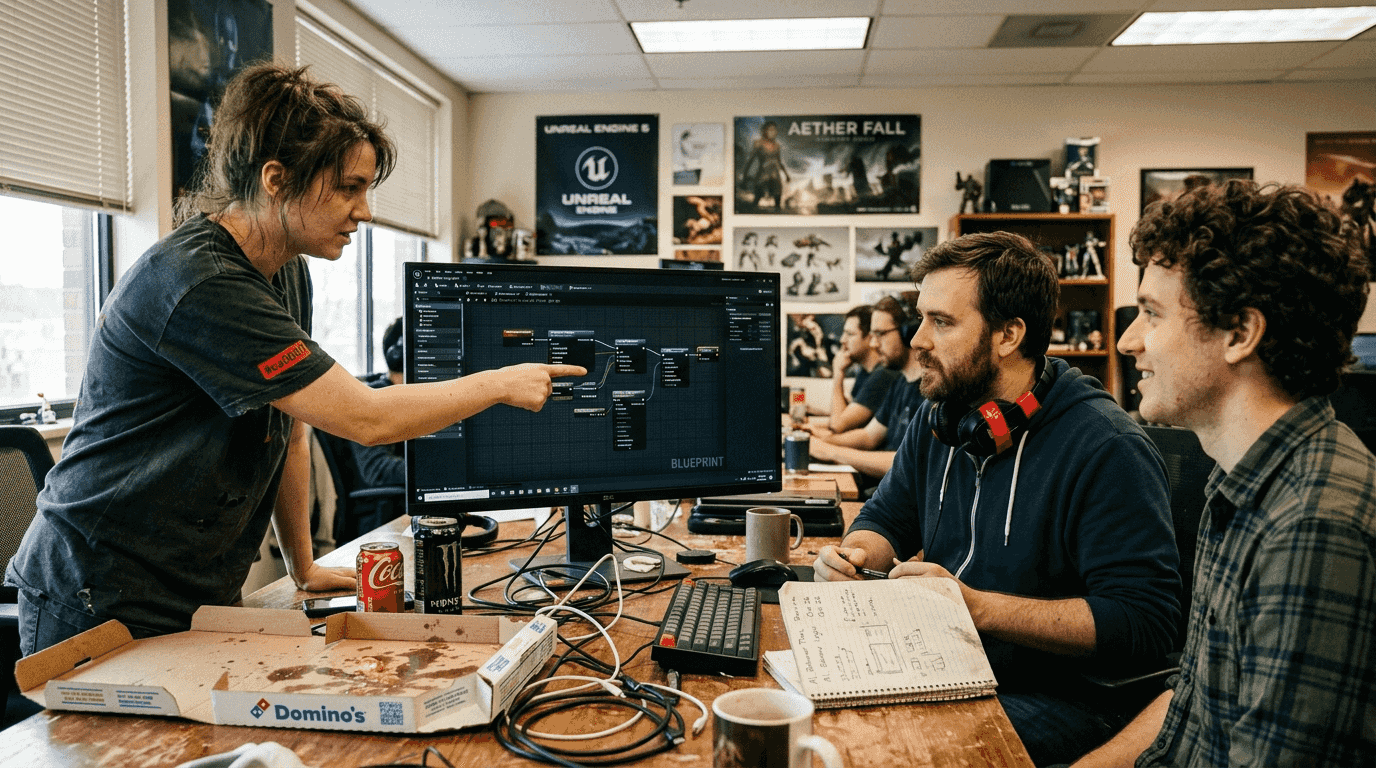
Choosing AI tools designed specifically for UE5 development minimizes context gaps by embedding engine knowledge directly into the model's context window. Generic coding assistants lack this specialization, forcing developers to spend time explaining UE5 concepts that specialized tools already understand.
Comparing leading AI assistant plugins and models for Unreal Engine 5
The UE5 AI assistant landscape in 2026 features several robust options, with UnrealClaude and GenAI for Unreal emerging as market leaders due to their deep engine integration and flexible model support. UnrealClaude plugin includes native editor integration, dynamic context system, Blueprint editing, and project-awareness, while GenAI for Unreal Plugin offers a unified interface to top AI models including OpenAI GPT-5.4, Anthropic Claude Opus, Google Gemini, and more. Understanding their differences helps developers select the right tool for specific project needs.
| Feature | UnrealClaude | GenAI for Unreal | | --- | --- | | Model Support | Claude Code CLI (Anthropic) | OpenAI, Anthropic, Google, Mistral, Groq, OpenRouter | | Editor Integration | Native UE5.7 plugin | Native UE5 plugin with real-time streaming | | Documentation Context | Built-in UE5.7 docs | Model-dependent, supports custom RAG | | Multi-Model Flexibility | Single provider, deep integration | Multiple providers with OpenAI Compatible Mode | | Function Calling | Yes, via Claude capabilities | Yes, across supported models | | Session Persistence | Async task queue for long operations | Real-time chat completions with session management |
Unique features distinguish each plugin's value proposition:
- UnrealClaude: MCP server integration for extended tool capabilities, seamless Claude Code authentication eliminating API key management, Blueprint-aware suggestions that understand graph structure, and async task queues for complex multi-step operations
- GenAI for Unreal: Real-time text streaming for immediate feedback, multi-modal input supporting text, image, and voice workflows, provider flexibility for cost optimization, and advanced function calling for dynamic gameplay interactions
Pro Tip: Select a plugin offering OpenAI Compatible Mode to switch models for cost and accuracy balance. Different tasks benefit from different model strengths, and flexibility prevents vendor lock-in.
Authentication methods significantly impact setup friction and security. UnrealClaude leverages Claude Code Auth, which integrates directly with Anthropic's authentication system and eliminates separate API key configuration. GenAI for Unreal supports multiple authentication approaches depending on the chosen provider, offering flexibility at the cost of slightly more complex initial setup. The Unreal Engine AI toolkit features provide additional authentication options tailored for studio environments.
Multi-model support proves essential for diverse development needs. Text generation for dialogue systems benefits from different model characteristics than code completion or image analysis for asset validation. The GenAI plugin overview details how switching between specialized models optimizes both results and costs across various development tasks.
Maximizing your workflow with AI assistants in Unreal Engine 5
Translating AI assistant capabilities into measurable productivity gains requires intentional integration into daily development workflows. Successful adoption goes beyond installing a plugin; it demands understanding which tasks benefit most from AI assistance and structuring your development process to leverage these strengths effectively.
Practical integration strategies include:
- Keep AI context updated with current project state by enabling automatic file scanning and documentation synchronization
- Use function calling features for dynamic responses in gameplay systems, allowing NPCs to generate contextually appropriate dialogue or behaviors
- Persist sessions for long tasks like refactoring entire subsystems or migrating code between engine versions
- Integrate AI assistance in Blueprint editing to automate repetitive node placement and connection logic
- Leverage async task queues for complex operations that require multiple AI interactions without blocking your workflow
- Enable real-time chat completions for NPC scripting, creating more natural and varied character interactions
| Workflow Benefit | Time Saved | Error Reduction | Enhanced Creativity |
|---|---|---|---|
| Code Completion | 25-35% | 15-20% | 10-15% |
| Blueprint Generation | 30-40% | 20-25% | 20-30% |
| Documentation Lookup | 40-50% | 5-10% | 5-10% |
| Refactoring Tasks | 20-30% | 25-35% | 15-20% |
These percentages reflect reported improvements from plugin usage across various studio sizes and project types. Individual results vary based on project complexity, team experience, and integration depth.
Using Claude Code authentication eliminates the need for separate API key management, simplifying workflow by reducing configuration overhead and potential security vulnerabilities from exposed credentials. This seamless authentication approach saves setup time and reduces friction in development cycles, particularly valuable in team environments where multiple developers need consistent access.
Function Calling support in Anthropic Claude and OpenAI Chat models enables AI-driven gameplay and world interactions, opening creative possibilities beyond traditional scripting. NPCs can query game state, make decisions based on complex criteria, and generate responses that feel more organic than pre-scripted alternatives. This capability transforms AI from a coding assistant into a creative partner for gameplay design.
Pro Tip: Regularly update plugins and model versions to avoid issues from model drift or outdated context. AI providers continuously improve their models, and staying current ensures you benefit from enhanced accuracy and new capabilities.
Combining AI coding help with traditional debugging practices provides the best reliability. AI-generated code serves as a strong starting point, but manual review catches edge cases and ensures integration with existing systems. The efficient AI workflow in Unreal Engine emphasizes this balanced approach, treating AI as a powerful collaborator rather than a replacement for developer expertise and judgment.
Discover powerful AI tools with Ludus AI
After exploring AI assistant capabilities, challenges, and best practices, you need a comprehensive solution that delivers on these promises without the integration headaches. Ludus AI offers robust Unreal Engine integration designed specifically to boost coding efficiency with advanced AI assistance tailored for game developers. The toolkit supports multiple AI models, real-time text streaming, function calling, and advanced chat features that transform how you approach UE5 development.
Its designed flexibility lets developers switch AI providers and easily integrate AI into Blueprints, NPC dialogue, and gameplay logic without wrestling with complex configuration or compatibility issues. Whether you're prototyping new mechanics, refactoring legacy systems, or building dynamic content generation pipelines, the Ludus AI toolkit adapts to your workflow rather than forcing you to adapt to the tool. Explore the Unreal Engine AI toolkit overview to see how next-level AI-assisted development streamlines your projects and unlocks creative possibilities. Start transforming your workflow today with cutting-edge features and support designed specifically for UE5 developers.
Frequently asked questions
What are AI assistants for Unreal Engine developers?
AI assistants are software tools that help automate coding and content creation in UE5 projects by analyzing project context and generating relevant suggestions. They integrate with the UE5 Editor to provide context-aware code completions, Blueprint node recommendations, and quick access to engine documentation. These tools improve productivity by automating repetitive tasks like boilerplate code generation and providing instant answers to common development questions, letting developers focus on creative problem-solving rather than syntax lookup.
How do AI assistants maintain context in my UE5 projects?
AI assistants use dynamic UE 5.7 context systems that scan project files and documentation to feed relevant data into the AI model's context window. This continuous synchronization ensures suggestions align with your current code state, project architecture, and engine version. The importance of syncing with the latest engine version and project changes cannot be overstated, as outdated context leads to hallucinated code that conflicts with actual implementation, creating more debugging work than it saves.
What are common pitfalls using AI coding assistants in Unreal Engine?
Common risks include AI hallucinations where models invent code that doesn't exist, context drift causing suggestions to diverge from project patterns, and incorrect function changes without proper constraints as demonstrated when GPT-5.1 hallucinated code diffs and altered multiple functions incorrectly. Rigorous code review remains essential, treating AI suggestions as starting points requiring validation. Using context-aware AI tools designed specifically for UE5 minimizes these risks by embedding engine knowledge and maintaining project awareness, but no AI system eliminates the need for developer judgment and testing.
Which AI assistant plugins are best for Unreal Engine 5 in 2026?
UnrealClaude and GenAI for Unreal are leading plugins offering deep UE5 integration and multi-model support, each excelling in different areas. UnrealClaude provides seamless Blueprint and asset management integration with Claude Code authentication, ideal for developers prioritizing deep Anthropic model integration. GenAI for Unreal offers multi-model flexibility supporting OpenAI, Google, and other providers, perfect for teams wanting to optimize costs and capabilities across different tasks. Evaluate plugins based on your project needs, preferred AI models, team size, and whether you prioritize single-provider depth or multi-provider flexibility.
How much do AI coding assistants improve Unreal Engine development speed?
Development speed improvements vary by task type and integration depth, with code completion saving 25 to 35 percent of time, Blueprint generation saving 30 to 40 percent, and documentation lookup saving 40 to 50 percent based on reported plugin usage data. These gains compound across large projects, potentially reducing development timelines by weeks or months. However, speed improvements require proper setup, regular context updates, and developer familiarity with AI tool capabilities to achieve maximum benefit.