

Game development in Unreal Engine 5 demands creativity, precision, and countless hours managing repetitive tasks that slow your progress. From setting up Blueprints to optimizing performance, developers face bottlenecks that delay releases and drain resources. AI-powered tools have emerged as practical solutions to automate workflows, accelerate prototyping, and reduce manual coding burdens. This guide walks you through preparing your project for AI integration, executing streamlined development with cutting-edge tools, and verifying performance to ensure your game runs smoothly. By adopting these strategies, you can focus more on gameplay innovation and storytelling while AI handles the heavy lifting.
Table of Contents
- Preparing Your Unreal Engine 5 Project For AI Integration
- Executing Streamlined Development Using AI-Powered Tools And Workflows
- Verifying And Optimizing Game Performance For Smoother Development
- Boost Your Unreal Engine 5 Development With Ludus AI
- Frequently Asked Questions
Key takeaways
| Point | Details |
|---|---|
| AI automates repetitive tasks | AI-powered plugins reduce manual Blueprint creation and speed up iteration cycles significantly. |
| Plugin integration streamlines workflows | Tools like GenAI for Unreal enable multi-model AI integration for dynamic dialogues and content generation. |
| Performance optimization is essential | Early profiling and modular design improve maintainability and reduce debugging time by up to 30%. |
| Memory management prevents bottlenecks | Efficient asset unloading and texture optimization maintain smooth frame rates across platforms. |
Preparing your Unreal Engine 5 project for AI integration
Before you dive into AI-assisted development, setting up your Unreal Engine 5 project correctly ensures seamless integration and avoids compatibility headaches. Start by selecting the right AI plugins that align with your development goals. The GenAI for Unreal Plugin integrates various AI models and enables dynamic dialogues, making it essential for AI-driven development. This plugin supports multiple advanced models from OpenAI, Anthropic, and other providers, giving you flexibility to choose the best AI for each task.
Organize your project assets and Blueprints with modularity in mind. Create clearly labeled folders for AI-generated content, separate from manually crafted assets. This structure prevents confusion and makes version control more manageable. You should also establish a naming convention that distinguishes AI-assisted components from traditional ones, helping your team quickly identify which systems rely on AI functionality.
Your development environment needs proper API key configuration to access AI models. Sign up for accounts with OpenAI, Anthropic, or other providers your chosen plugins support. Store API keys securely using environment variables or Unreal Engine's project settings rather than hardcoding them into Blueprints. This practice protects sensitive credentials and simplifies key rotation when needed.
Plan your project architecture around modular components that AI tools can enhance or generate dynamically. Break complex systems into smaller, reusable pieces that follow single responsibility principles. This approach allows AI assistants to understand and modify specific functions without affecting unrelated code. Consider creating template Blueprints that AI can populate with logic, reducing the time spent on boilerplate setup.
Version control becomes critical when integrating AI features. Set up Git or another version control system before making major changes. Create a dedicated branch for AI integration experiments so you can test tools without risking your main development branch. Commit frequently with descriptive messages that explain which AI features you added or modified. Always maintain backups of your project before installing new plugins or running AI-generated code in production environments.
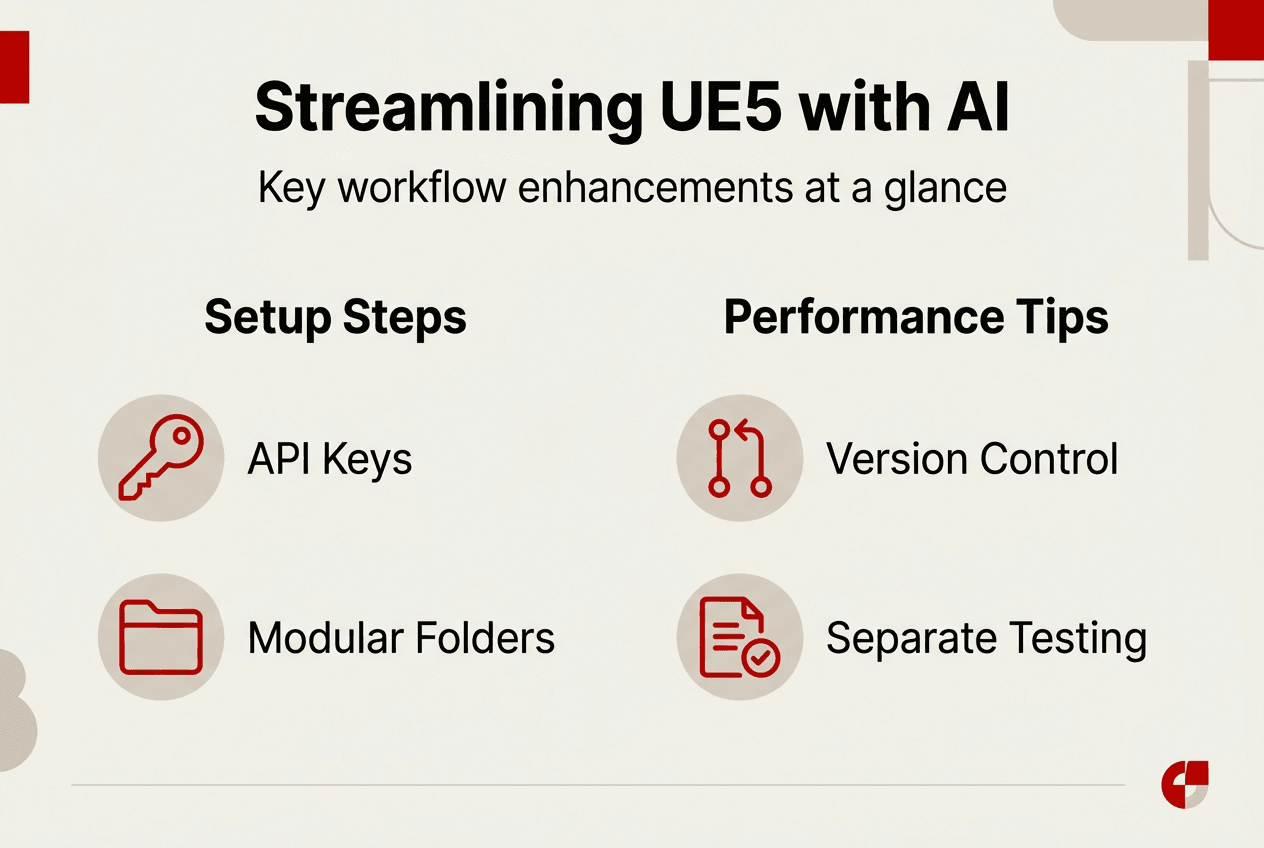
Pro Tip: Test AI plugins in a separate demo project first to understand their capabilities and limitations before integrating them into your main game. This saves time troubleshooting conflicts and helps you identify the best workflows for your specific needs.
The Ludus AI Unreal Engine toolkit offers seamless integration with UE5 versions 5.1 through 5.7, providing instant C++ code generation and Blueprint automation. By preparing your project with these foundational steps, you create an environment where AI tools can deliver maximum value without disrupting existing workflows.
Executing streamlined development using AI-powered tools and workflows
Once your project is prepared, you can leverage AI tools to automate repetitive tasks and accelerate content creation. AI tools like Ultimate Engine CoPilot can automate complex Blueprint generation and refactoring, saving significant time on routine scripting work. These assistants understand Unreal Engine conventions and produce code that follows best practices, reducing errors and improving maintainability.
Start by identifying the most time-consuming tasks in your workflow. Common candidates include:
- Creating inventory systems with standardized item properties
- Setting up dialogue trees for NPC interactions
- Generating placeholder UI elements for prototyping
- Refactoring legacy Blueprints to improve performance
- Building modular environment pieces with consistent parameters
Procedural generation tools transform how you create game environments.
seamlessly with UE5, enabling fast level creation from images or text descriptions. You can sketch a rough concept, feed it to the AI, and receive a fully textured 3D environment ready for iteration. This capability dramatically reduces the time between concept and playable prototype.
AI models excel at generating dynamic dialogue and NPC behavior. Use natural language processing to create conversational systems that respond contextually to player choices. Instead of manually scripting every dialogue branch, describe the NPC's personality and goals to the AI. The system generates appropriate responses that maintain character consistency while adapting to player input. This approach scales better than traditional dialogue trees, especially for games with extensive character interactions.
AI coding assistants accelerate gameplay scaffolding and refactoring while ensuring compliance with engine conventions. When building new gameplay systems, describe the desired behavior in plain language. The AI generates Blueprint nodes or C++ code that implements your requirements, complete with proper variable types and function signatures. You review and refine the output rather than writing everything from scratch, cutting development time substantially.
Function calling and multimodal inputs enhance AI-driven gameplay mechanics. Connect AI models to game functions that query world state, modify actor properties, or trigger events. For example, an AI dungeon master could analyze player performance and dynamically adjust difficulty by calling functions that spawn enemies or modify loot drops. Multimodal inputs let you combine text, images, and game data to create richer AI interactions that understand visual context alongside textual commands.
Pro Tip: Create a library of reusable AI prompts for common tasks like generating loot tables or balancing character stats. Refine these prompts based on output quality and save the best versions for consistent results across your project.
The Ludus AI toolkit guide provides comprehensive documentation for integrating these workflows into your development process. Here is a comparison of popular AI tools and their ideal use cases:
| Tool | Core Features | Best For | Integration Complexity |
|---|---|---|---|
| GenAI for Unreal | Multi-model support, dynamic dialogues, function calling | Conversational AI, NPC generation | Medium |
| Ultimate Engine CoPilot | Blueprint automation, code refactoring, template generation | Rapid prototyping, system scaffolding | Low |
| Polygonflow Dash | Procedural generation, image-to-3D, AI-assisted level design | Environment creation, asset iteration | Medium |
| Ludus AI | C++ generation, Blueprint creation, UE5 Q&A copilot | Comprehensive workflow automation | Low |
By systematically applying these AI-powered workflows, you transform time-intensive manual processes into efficient, automated systems that let you focus on creative decisions rather than repetitive implementation.
Verifying and optimizing game performance for smoother development
AI tools accelerate development, but without proper performance verification, you risk shipping games with hidden bottlenecks. Start profiling early using Unreal Engine's built-in tools to identify performance issues before they become costly to fix. The Unreal Insights profiler provides detailed breakdowns of CPU and GPU usage, helping you pinpoint which Blueprints or AI-generated systems consume excessive resources.
Implement Level of Detail systems for all 3D assets, especially AI-generated models that may not optimize automatically. Configure LOD groups to reduce polygon counts at distance, maintaining visual quality where it matters while improving frame rates. Manage texture resolutions strategically by using compressed formats for background elements and reserving high-resolution textures for focal points. This balance ensures your game looks polished without overwhelming hardware.
Modular, reusable component design following single responsibility principles improves both maintainability and performance. Break complex AI-generated Blueprints into smaller functions that handle specific tasks. This structure makes profiling easier because you can measure each function's performance individually. When you identify a slow function, you can optimize or replace it without rewriting entire systems. Modular design also helps AI assistants understand your codebase better, producing more accurate suggestions for improvements.
Memory optimization becomes critical as you integrate AI-generated content. Unload unused assets aggressively, especially in open-world games where players move between areas. Use asset streaming to load content on demand rather than keeping everything in memory simultaneously. Manage dynamic materials efficiently by limiting the number of material instances and avoiding redundant parameter changes. Mobile platforms require extra attention to memory management since they have stricter resource constraints than PC or console.
Avoid common pitfalls that plague Unreal Engine projects. Spaghetti Blueprints with tangled execution paths create debugging nightmares and performance issues. When AI generates Blueprint logic, review it for clarity and refactor complex sections into functions with descriptive names. Memory leaks often hide in improperly destroyed actors or unclosed file handles. Use Unreal's memory profiler to track allocations and ensure everything cleans up correctly when no longer needed.
Pro Tip: Set up automated performance benchmarks that run after each major AI integration. Track frame rates, memory usage, and load times to catch regressions immediately rather than discovering them during final testing.
Projects prioritizing performance optimization reduce debugging time by 30% and improve frame rates by 20%. These improvements compound over development, making optimization an investment that pays dividends throughout your project lifecycle. Here is how different optimization techniques impact your workflow:
| Optimization Technique | Performance Impact | Debugging Time Reduction | Implementation Effort |
|---|---|---|---|
| Early profiling | Identifies bottlenecks before they spread | 30% faster issue resolution | Low |
| LOD systems | 15-25% frame rate improvement | Minimal impact | Medium |
| Modular Blueprint design | Easier performance isolation | 20% faster debugging | Medium |
| Memory management | Prevents crashes, smoother gameplay | 25% fewer memory-related bugs | High |
| Texture optimization | 10-20% GPU performance gain | Minimal impact | Low |
The Ludus AI Unreal optimization toolkit includes features specifically designed to help you profile and optimize AI-generated code. By incorporating these verification and optimization practices into your workflow, you ensure that AI acceleration translates to better games rather than faster accumulation of technical debt.
Regular performance reviews should become part of your development rhythm. Schedule weekly profiling sessions where you examine the impact of recently added AI features. Document performance baselines and track changes over time. This discipline prevents performance degradation from sneaking into your project unnoticed. When you discover issues, address them immediately rather than deferring optimization to the end of development when fixes become exponentially more expensive.
Boost your Unreal Engine 5 development with Ludus AI
Transforming your game development workflow requires tools that understand Unreal Engine's unique demands and integrate seamlessly with your existing processes. The Ludus AI Unreal Engine toolkit provides comprehensive AI-driven features designed specifically for UE5 developers who want to automate repetitive tasks and focus on creative innovation.
Ludus AI delivers instant C++ code generation, functional Blueprint creation, and intelligent answers to UE5 questions, acting as your personal development copilot. Whether you are building complex gameplay systems, optimizing performance, or generating dynamic content, Ludus AI adapts to your workflow and accelerates every stage of development. Indie developers and small studios benefit especially from reduced development time and improved code quality, allowing smaller teams to compete with larger studios. Explore Ludus AI today to experience how AI-powered assistance can transform your Unreal Engine 5 projects in 2026 and beyond.
Frequently asked questions
How do AI tools reduce development time in Unreal Engine 5?
AI tools automate repetitive scripting tasks like Blueprint generation, dialogue tree creation, and asset organization, eliminating hours of manual work. They accelerate prototyping by generating functional systems from simple descriptions, letting you test gameplay ideas quickly. Dynamic content generation reduces iteration cycles because AI can produce variations instantly rather than requiring manual creation for each option. This combination of automation and acceleration cuts development time substantially while maintaining code quality.
What are the best AI-powered plugins for Unreal Engine 5?
GenAI for Unreal stands out for multi-model AI integration, supporting OpenAI, Anthropic, and other providers for dynamic dialogue and NPC generation. Ultimate Engine CoPilot excels at Blueprint automation and code refactoring, making it ideal for rapid prototyping and system scaffolding. Polygonflow Dash specializes in procedural generation with AI assistance, converting images or descriptions into 3D environments efficiently. Ludus AI offers comprehensive workflow automation including C++ generation, Blueprint creation, and a UE5 Q&A copilot.
How can I maintain performance when using AI tools in game development?
Implement early profiling using Unreal Engine's built-in tools to identify bottlenecks before they become embedded in your systems. Design Blueprints modularly so you can isolate and optimize individual components without affecting unrelated code. Manage memory carefully by unloading unused assets, limiting dynamic material instances, and using asset streaming for large worlds. Avoid memory leaks by ensuring proper cleanup of AI-generated actors and resources. Regular performance reviews help you catch regressions immediately rather than discovering them during final testing.
Can AI-generated code match the quality of manually written systems?
AI-generated code often follows best practices and engine conventions better than hastily written manual code, especially for routine tasks. However, complex gameplay systems requiring creative problem solving still benefit from human expertise and review. The best approach combines AI automation for repetitive tasks with human oversight for critical systems. Always review AI-generated code for logic errors, performance issues, and alignment with your project's architecture before integrating it into production builds.
What are common mistakes when integrating AI into Unreal Engine workflows?
Developers often skip proper project preparation, leading to plugin conflicts and integration headaches that waste time troubleshooting. Neglecting version control before AI integration makes it difficult to roll back problematic changes or track what AI tools modified. Over-relying on AI without understanding the generated code creates maintenance problems when you need to debug or extend systems later. Failing to profile AI-generated systems early allows performance issues to accumulate, requiring expensive optimization work near release. Starting with small, controlled experiments in test projects helps you avoid these pitfalls.